
FIELD SERVICE MANAGEMENT (FSM)
From the ticket to scheduling to the signed report—all in one system.
Give your field service team a real edge: With our Field Service Management software, you can centrally plan, document, and manage all service calls—digitally, on the go, and connected. Save time on scheduling, automate documentation, and ensure consistently satisfied customers.





Scheduling & Resource Allocation
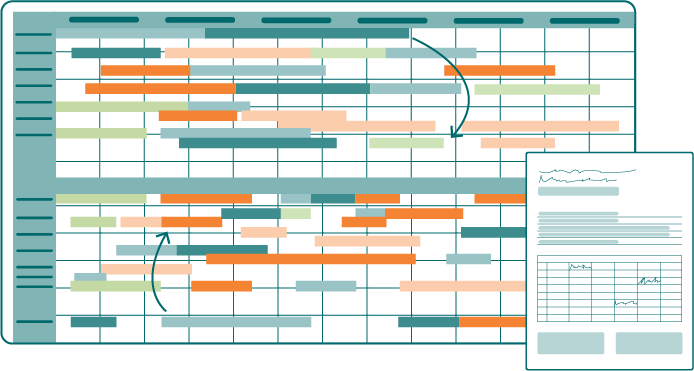
With the digital scheduling board, you can schedule all assignments using drag-and-drop. If a technician is unavailable or an emergency comes in, you can reschedule in seconds. Every change is immediately reflected in your technicians’ app.

Create work orders directly from the scheduling board and assign them to technicians, vehicles, and tools
Make changes using drag-and-drop—your technician will see them immediately on their smartphone
Smart filters for people, qualifications, machines, and types of assignments
“It was important to us that we could plan our technicians’ schedules easily and efficiently and that the forms could be filled out quickly on-site.”

Everything your field staff needs, all in one system
From scheduling to the signed report: SIMPL connects office staff, technicians, and customers.
Digital Forms & AI Report
The service report is filled out on site
Your technician speaks, and the AI fills out the form: in a structured way, in the correct fields, and in multiple languages if desired. No more typing on Friday afternoons.
Customizable form templates tailored to your workflow: Commissioning, Maintenance, Inspection Report, Timesheet
The AI converts voice input into a structured format in the form, hands-free and on the go
Final report as a PDF with a digital signature, ready for immediate delivery to the customer

Mobile App
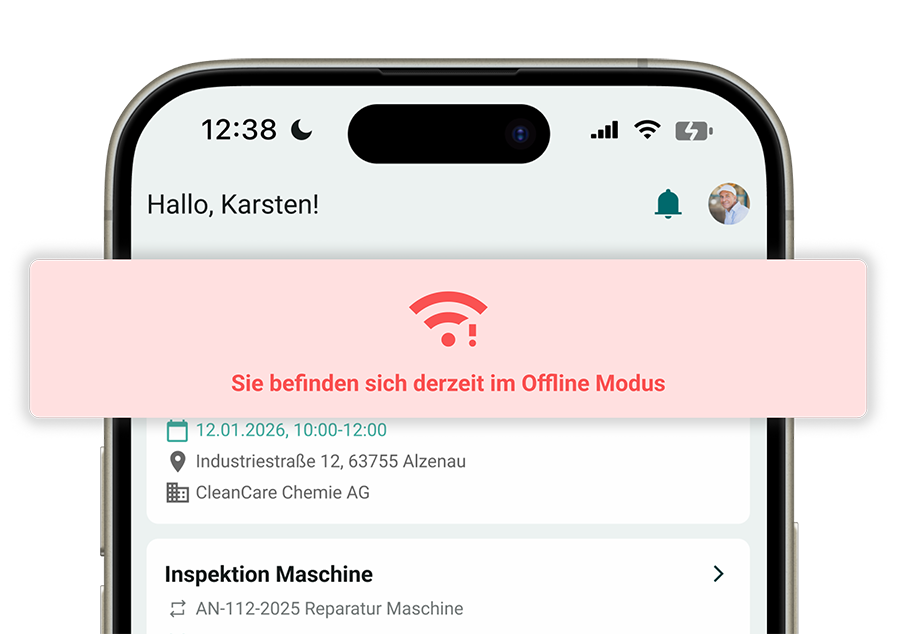
Works even where there’s no signal
Factory floor, basement, construction site in an area with no cell service: The mobile app stores all data locally and syncs automatically as soon as a connection is reestablished.
Record orders, forms, photos, and times completely offline
Automatic synchronization when a connection is established, with no data loss
Runs on iOS and Android, on the devices your technicians already have
Asset Management & QR Codes
The entire machine file—just a scan away
Scan the QR code on the machine, and your technician will see everything they need—the complete service history, documents, and open work orders—right there at the machine.
Service history, manuals, and drawings for each system
Initiate work orders and reports directly from the machine file
Your customers can also report issues via scan—no app required and no waiting on hold

Customer Portal
“No one asks, ‘When is the technician coming?’ anymore”
In the customer portal, your customers can view the status of their inquiries and orders themselves, download reports, and submit new inquiries digitally. Your back-office staff spends less time following up by phone, and your service comes across as professional as it actually is.
Submit requests digitally instead of by phone or back-and-forth email exchanges
Work order status and deadlines can be viewed at any time
Service reports and records are available for download

Service Contracts & Maintenance Schedules
Recurring maintenance tasks schedule themselves
Upload your service contracts and maintenance schedules once, and SIMPL takes care of the rest: When a service is due, a work order is automatically generated for your scheduling team. No contract will slip through the cracks, and no customer will have to remind you about their maintenance.
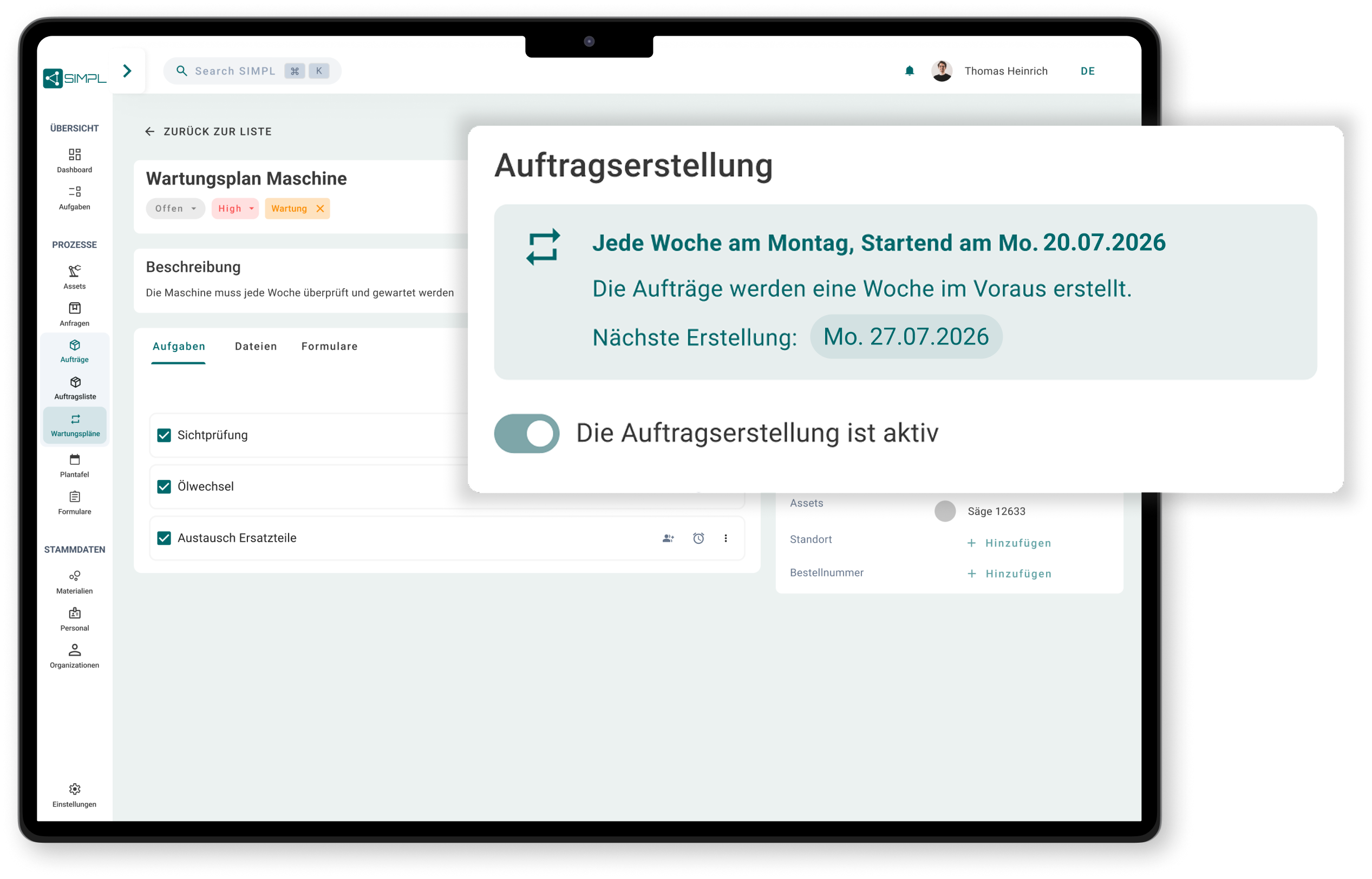
Scheduled maintenance automatically generates work orders for the planning board
Maintenance schedules with intervals specified by system, contract, and scope of services
A centralized overview of all due dates, including complete documentation for clients and audits
“In the past, you had to go through everything manually, but now it’s much easier. SIMPL takes so much work off our hands.”
Customer Testimonials
What Our Customers Say
Check out SIMPL in your own
processes
In just 30 minutes, learn how to integrate scheduling and mobile service into a single system.

A no-obligation consultation with our experts
Specific Ideas for Your Field Service Processes
Personal Contact
No preparation needed—just bring your questions
Without a system, every operation costs twice as much: first in time, then in revenue
Excel, whiteboards, and sticky notes waste your team’s time and frustrate your customers. Without digital planning, there’s no connection between jobs, technicians, and reports.

No centralized overview of technicians, assignments, and resources
Media discontinuities caused by paper and Excel lead to errors and loss of information
Manual planning quickly reaches its limits when changes are made on short notice
Hours and materials get lost in the paperwork and are never billed

Field Service Management: From the Request to the Signed Report
With SIMPL, you can manage your technical field service entirely digitally—from scheduling to mobile task completion by your technicians on-site.
SIMPL can be integrated with your ERP system, such as SAP or Microsoft Dynamics. However, four out of five customers start out without it and, by doing so, have already eliminated paper, Excel, and Outlook from their service process.

Central Operations Planning & Scheduling: All Resources Are Always Up to Date
Mobile App for Technicians: Receive, Complete, and Document Jobs
Digital Records & Reports: Signed by the customer on the spot, not submitted days later
Time and materials recorded on-site: billable before the technician leaves
Frequently Asked Questions About Field Service Management
What is field service management software?
Field Service Management (FSM) software plans, manages, and documents service technicians’ visits to customers. It integrates in-house scheduling, a mobile app for technicians, and digital service reports into a single system. This way, everyone on the team knows who is visiting which customer, when, and what work was done there.
What is the difference between FSM software and maintenance software (CMMS)?
FSM software organizes your technicians’ on-site customer visits—that is, field service. A CMMS manages the maintenance of your company’s own machinery and equipment. SIMPL covers both in a single system: You can plan customer visits and internal maintenance on the same platform. Learn more on our page about maintenance and repairs (CMMS).
How many technicians does it take to make FSM software worthwhile?
As soon as planning via Excel, whiteboard, or verbal instructions reaches its limits—and that usually happens even with just a handful of technicians. Our customers range from small service teams at medium-sized companies to thyssenkrupp Steel Europe. SIMPL scales with you: You start with a streamlined setup and add more features as you need them.
How do our customer and machine data get into the system?
To get started, simply import customers, machines, and orders via Excel. For day-to-day operations, there are interfaces to ERP systems such as SAP, proALPHA, and Microsoft Dynamics. Your personal contact will guide you through the implementation process so that your team can be up and running in just a few weeks.
Are technicians who have been working on paper so far also participating?
We hear this concern before almost every launch, and after a few weeks, it’s usually no longer an issue. The app is designed for on-site use: clear workflows, large controls, and reports created via voice input instead of typing. WTD Managing Director Thomas Liebek sums it up: “Our technicians quickly get the hang of the interface.”
On which devices does the app run?
The SIMPL app runs on iOS and Android, on smartphones and tablets. Your technicians can use the devices they already have; no special hardware is required. The app also works fully offline.
Intuitive operation that works right away
SIMPL is designed so that technicians, service managers, and workshop teams can start working with it right away—without lengthy training and without feeling overwhelmed.
Offline Capability for Your Technicians
Technicians can enter jobs, forms, and photos entirely offline—everything syncs automatically as soon as a network connection is available again.

Made & Hosted in Germany
Your data is stored in certified German data centers. Perfect for mechanical engineering firms and industrial companies with strict compliance requirements.