
ERP, Excel, file folders, and the expertise of experienced technicians: Without a central record, the search starts from scratch every time a job comes up.
Enterprise Asset Management (EAM)
Get an overview of assets, maintenance and life cycles
With SIMPL’s Enterprise Asset Management (EAM) software, you can manage machines, equipment, and technical assets throughout their entire lifecycle. You can digitize your maintenance processes, reduce downtime, and improve equipment availability. This allows you to maintain a clear overview of condition, maintenance, and operational readiness at all times.



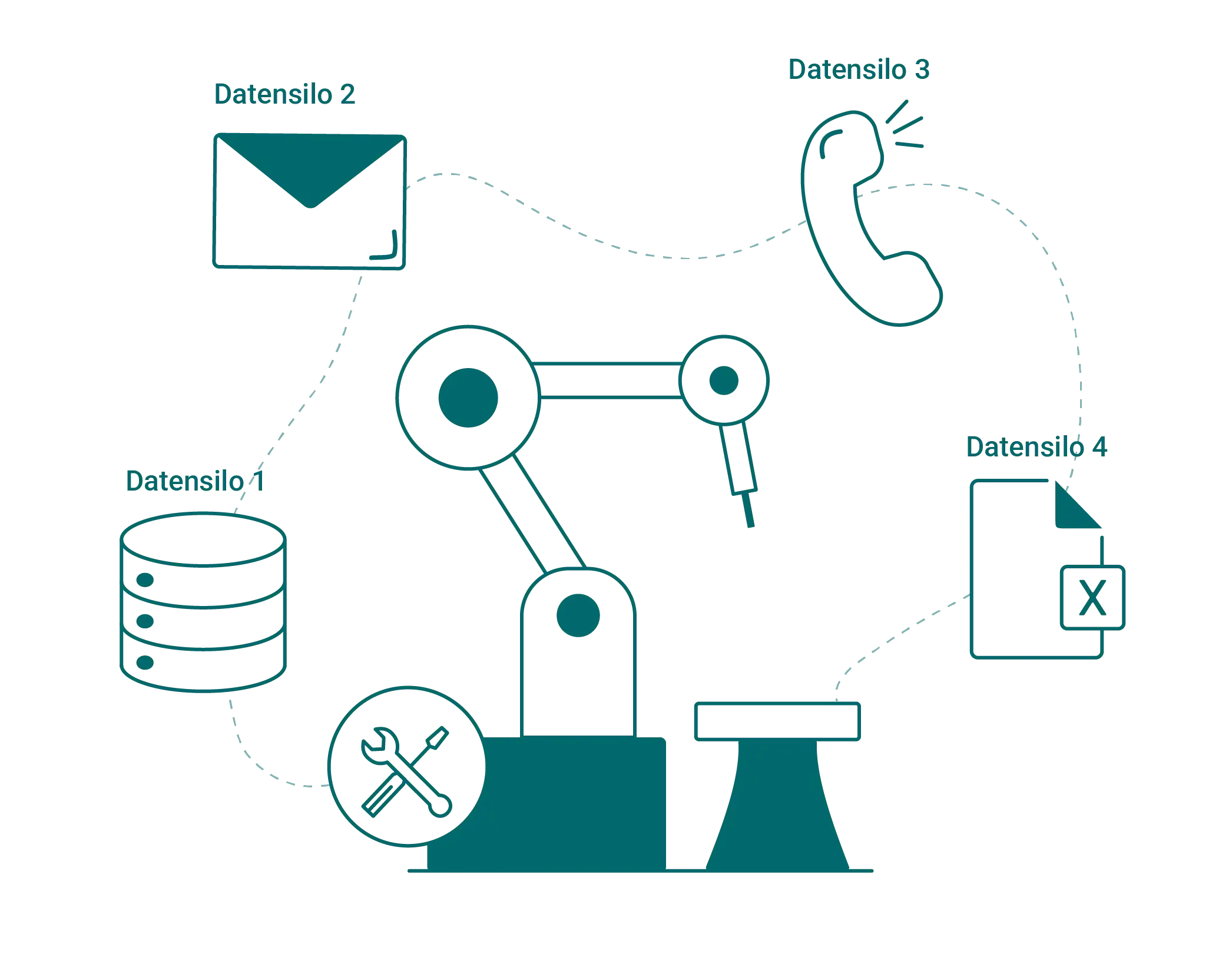
Your systems have been running for years. Their data is scattered all over the place.

Asset data scattered across ERP systems, Excel, and file folders
The history lives on in the minds of experienced colleagues
Duplicate entries across systems; details get lost along the way
The audit lacks documentation of what work was performed on the facility and when

All asset data in one place – accessible at any time
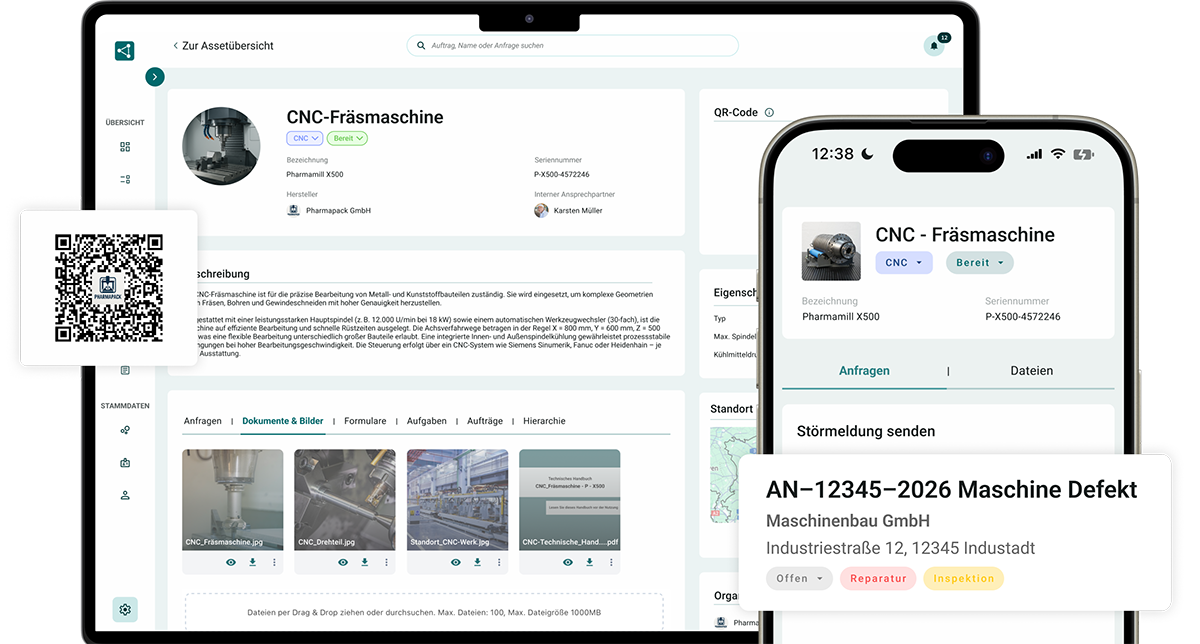
Everything related to your facilities comes together in one place in SIMPL: in the office, on the go, and right at the machine. And whether you call them machines, facilities, equipment, or resources, every asset gets its own file.

Digital File for Each Asset: Master Data, Documents, History
A history is automatically generated for every order and report
Access anywhere: Office, app, and QR code on the machine

"
Since the introduction of SIMPL, we have been systematically tracking our machines and equipment in the annealing technology sector. As a result, we now have complete transparency regarding our entire installed base, including maintenance records. Customer inquiries can be submitted directly via the QR codes on the equipment, and the tedious task of printing out manuals is finally a thing of the past.
Ralf Bistritz
Authorized Signatory at WELDOTHERM Gesellschaft für Wärmetechnik m.b.H.
About the case study →
Every facility with a file, history, and plan
From master data records to inspection records: SIMPL turns scattered information into a cohesive system.
Digital Machine File
History writes itself
Every order and every report is automatically assigned to the correct facility. This creates the patient record without any maintenance effort.

Operations, reports, photos, and communication for each facility
Documentation is done while working, not afterward
Support staff can immediately see what has ever happened to the machine
„Our forms are digital, the list of attachments is complete, and we work without any paper clutter."

System Structure & Master Data
Your facilities, your infrastructure—maintained once and for all
Map locations, systems, and components exactly as they are in the field—including hierarchies and technical details.
Hierarchy with locations, machines, and assemblies
Import Existing Systems via Excel
ERP Integration (SAP, Dynamics, etc.): Maintain Master Data Only Once
Documents & Test Reports
During the audit, everything is just a click away
Manuals, drawings, and test reports are kept right at the facility, where they are audit-compliant and immediately accessible.
Manuals, drawings, and certificates for each system
Digital operating instructions via QR code, compliant with the EU Machinery Directive 2027
Audit documentation at the click of a button instead of searching through file folders
Reports by System
Which machine costs you the most?
Faults, service calls, and costs per system at a glance.
Analyze operations and malfunctions by system and type
Identifying recurring problems early
Factual basis for replacement investments

Asset Management & QR Codes
The entire machine file—just a scan away
Scan the QR code, and everything is right there at the machine.
Technicians open the file by scanning it, without having to search for it
Customers report issues via scan, without an app
Easy to retrofit for existing systems
Maintenance Schedules & Inspection Deadlines
No maintenance or inspection will slip through the cracks anymore
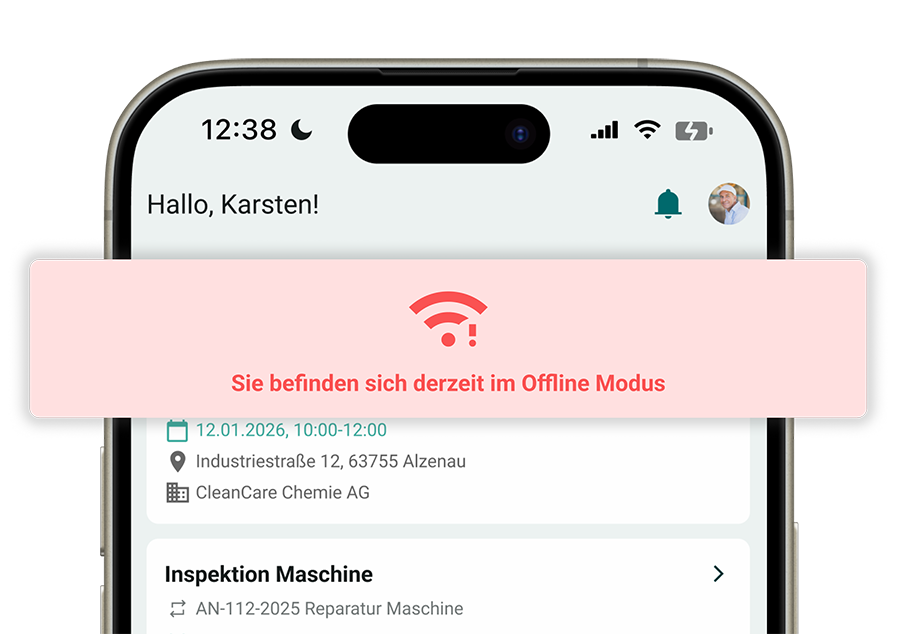
Set up maintenance schedules and inspection deadlines once: When they’re due, the work order is created automatically.
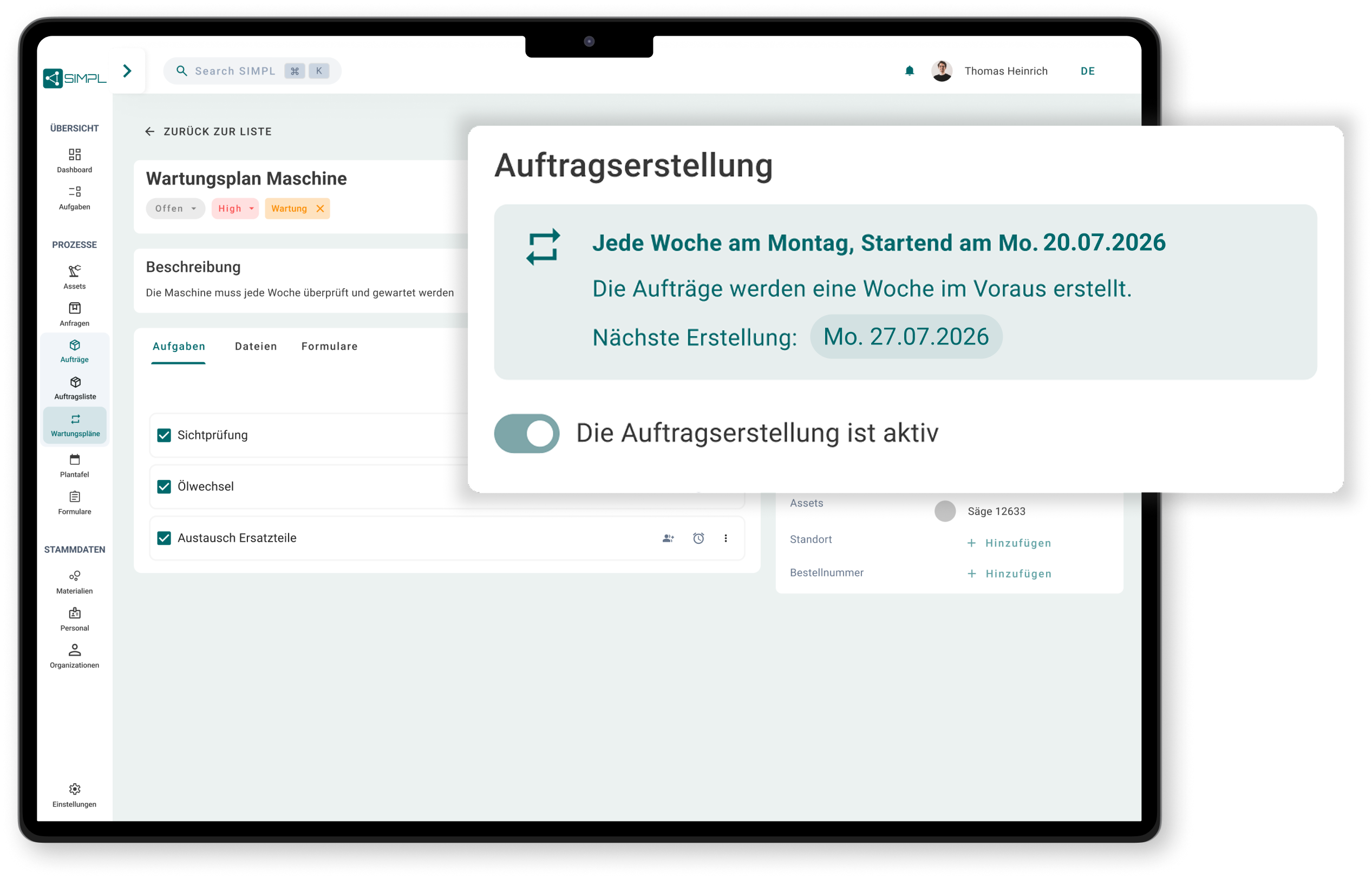
Intervals by system, contract, and scope of services
Inspections (e.g., UVV) with automatic order generation
All due dates documented centrally and comprehensively
„In the past, you had to go through everything manually—now it's much easier. SIMPL saves us so much work."
Check out SIMPL on your own systems
In just 30 minutes, learn how to turn your scattered plant data into a digital machine file.

A no-obligation consultation with our experts
Practical Ideas for Your Asset Management
Personal contact person
No preparation needed—just bring your questions
Frequently Asked Questions About Enterprise Asset Management
What is Enterprise Asset Management (EAM)?
Enterprise Asset Management (EAM) refers to the management of technical assets throughout their entire lifecycle: from commissioning through maintenance and repairs to decommissioning. Assets include everything that needs to be maintained and documented; depending on the industry, these may be referred to as machines, plants, equipment, devices, operating resources, or objects. EAM software consolidates master data, history, documents, and work orders for each piece of equipment in one place, rather than having them scattered across ERP systems, Excel spreadsheets, and file folders.
What is the difference between EAM and CMMS?
A CMMS (Computerized Maintenance Management System) manages operational maintenance: planning, performing, and documenting maintenance orders. EAM has a broader scope and tracks assets throughout their entire lifecycle, including master data, documents, history, and costs. In SIMPL, you don’t have to choose: The machine file serves as the foundation, and maintenance and repairs (CMMS) build directly on top of it.
What is a digital machine file?
A digital machine file (also known as a machine history file or equipment file) collects all information about a piece of equipment in one place: master data, service history, reports, photos, documents, and open tasks. In SIMPL, it is created automatically because every order and every report is saved directly to the equipment, and it can also be accessed directly at the machine via a QR code.
How do we add our existing systems to the system?
You can import existing asset lists via Excel, or alternatively, synchronize master data through an interface with your ERP system, such as SAP or Microsoft Dynamics. QR codes can be easily added to existing assets. Your personal contact will assist you with the data import during implementation.
Does SIMPL also work for machines located at our customers' sites?
Yes, that’s exactly what SIMPL is designed for. As a manufacturer or service provider, you can manage your installed base at customer sites just as you would your own equipment: with a file, history, and QR code on the machine. Your customers report malfunctions directly by scanning the code, and your team can immediately see which piece of equipment is affected. That’s how Weldotherm manages its installed base, for example.
How do we document what work has been done on a system during audits?
Every task, every inspection report, and every document in SIMPL is assigned to a specific piece of equipment and documented with the date, the person who performed the task, and the form’s contents. During an audit, you can access the history and supporting documentation for each piece of equipment with a single click, instead of sifting through file folders. Inspection deadlines with automatic order generation ensure that recurring inspections never fall past their due dates.
Does SIMPL support the requirements of the new EU Machinery Directive?
The EU Machinery Regulation 2023/1230 becomes mandatory on January 20, 2027, and, for the first time, allows manufacturers to provide operating instructions digitally. With SIMPL, you can store operating instructions, documents, and the complete history digitally for each machine, accessible via a QR code directly on the equipment. Together with the Digital Product Passport, you can thus create the data foundation needed to meet the new requirements. Important: The conformity assessment of your machines remains the manufacturer’s responsibility; SIMPL provides you with the digital infrastructure to support this.
Intuitive operation that works right away
SIMPL is designed so that technicians, service managers, and workshop teams can start using it right away—without lengthy training or feeling overwhelmed.
Offline Capability for Your Technicians
Technicians can enter orders, forms, and photos completely offline—everything is automatically synced as soon as a network connection is available again.

Made & Hosted in Germany
Your data is stored in certified German data centers. Perfect for mechanical engineering firms and industrial companies with strict compliance requirements.