



Every status question, every requested report and every unclear spare parts inquiry lands as an interruption in day-to-day business.
Customer portal
Your customers see machines, jobs and status, without calling
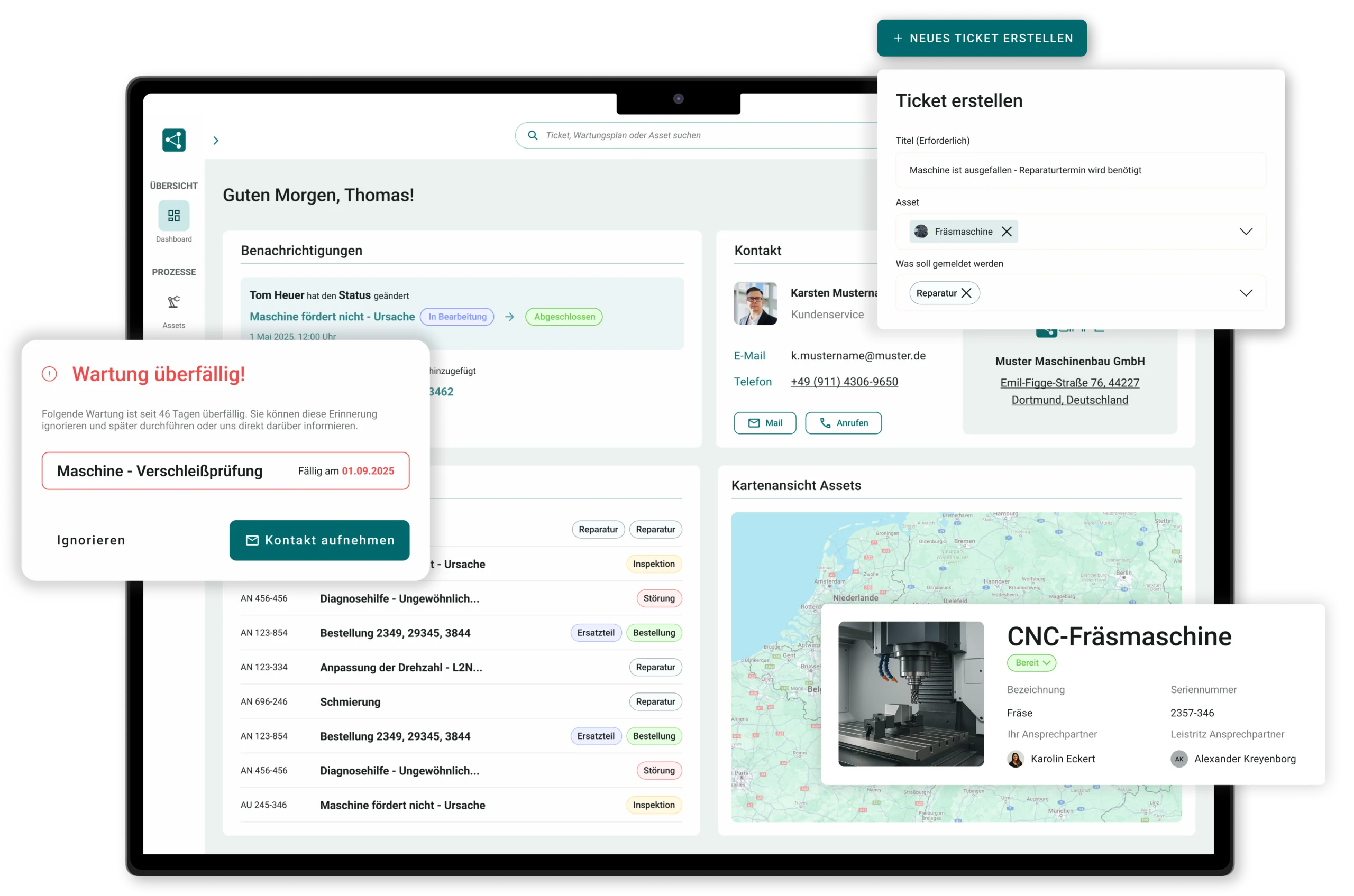
In SIMPL’s customer portal, your customers help themselves: report faults, track status, download reports, keep an eye on maintenance. Your back office gets its day back.




When customers wait and your back office gives out information instead of working

Status inquiries by phone and email eat up the back office
“Could you send me the report again?” For the third time.
Spare parts inquiries without a serial number: the guessing game begins
The customer doesn’t notice how much your service delivers

Self-service that inspires - and takes the pressure off your team
Your customers access their machines, cases and documents themselves, anytime, without a call and without an app.

Fewer status calls, more time for real cases
Professional appearance: your service becomes visible
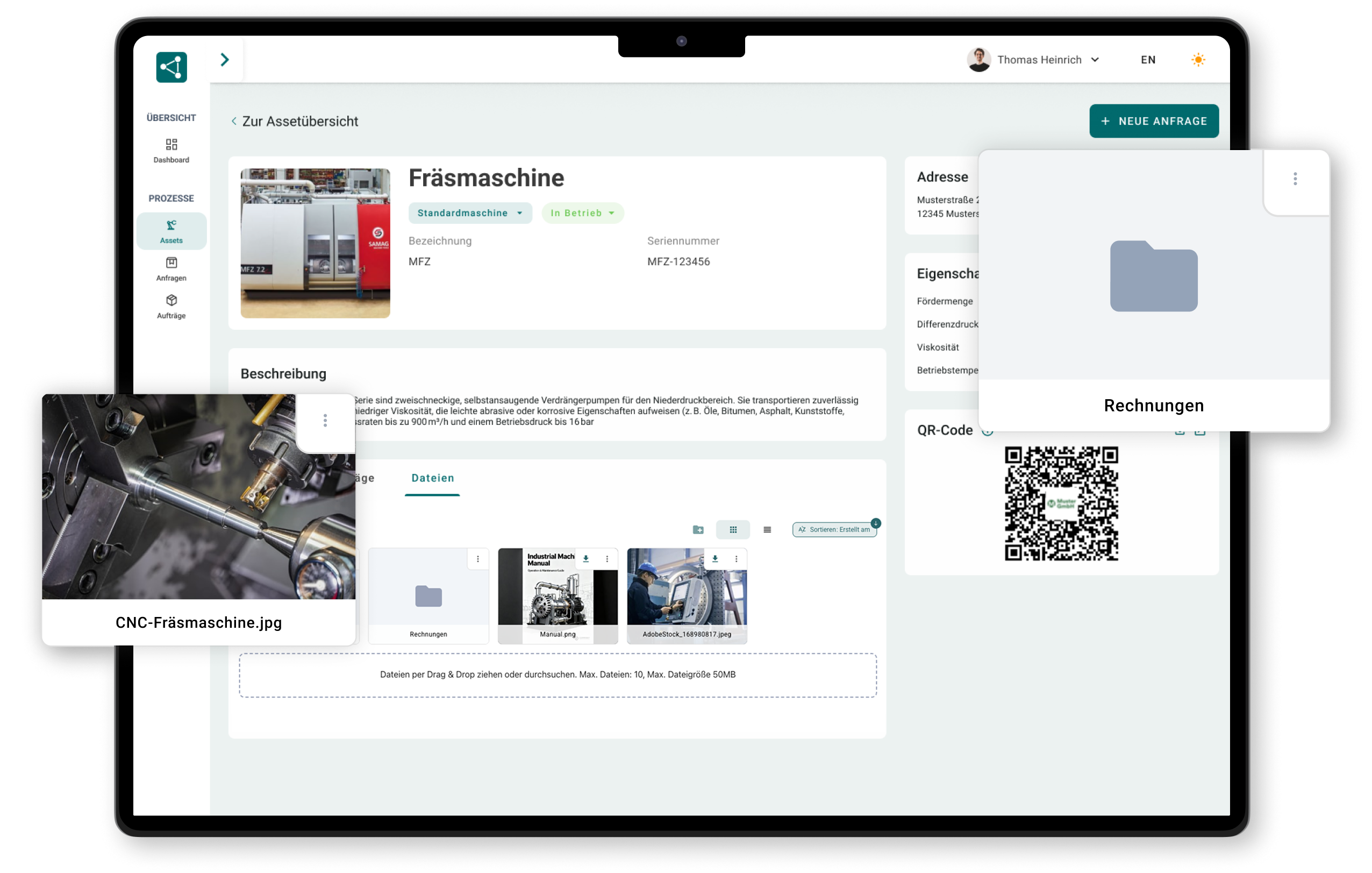
Everything linked to the machine: no riddles, no follow-up questions

"
Thanks to SIMPL, the paper chaos in our company is finally a thing of the past. We now capture customer inquiries and jobs, including all relevant service reports and maintenance logs, centrally in a single solution. As a result, we not only have full transparency over all jobs, but communication across the entire team has also improved noticeably.
Britt van Deursen
Division Manager at Wagner Eschweiler GmbH
What your customers do in the portal
See, report, track, download: the four steps that save your back office the most calls.
The overview
Everything important, self-service
Your customer logs in and sees their world: their machines, ongoing cases, past jobs. No more, no less.

All your own machines with file and history
Ongoing inquiries and jobs at a glance
Access in the browser, anytime and without an app
“Overall, we work in a much more coordinated way. We can see this in our response times and in the feedback from our customers.”
Report & order
Inquiries your team understands right away
Report a fault or request a spare part, directly in the portal or via QR code on the machine. Serial number and context are included automatically.
Fault report with photo, description and machine reference
Spare parts inquiry directly for a machine or assembly
No follow-up questions: serial number and history are included

Track status
Status instead of a status call
Your customer can see at any time where their case stands, with status levels that actually mean something to them.
Current status per inquiry and job
Notification as soon as something happens
Meaningful interim steps instead of “in progress”

Reports & documents
“Please send it again” is history
Service reports, logs and certificates are available for download per machine, always the current version.
Service reports and inspection logs per machine
Manuals and certificates always up to date
Download instead of searching email attachments
Maintenance at a glance
Your service contract becomes visibly valuable
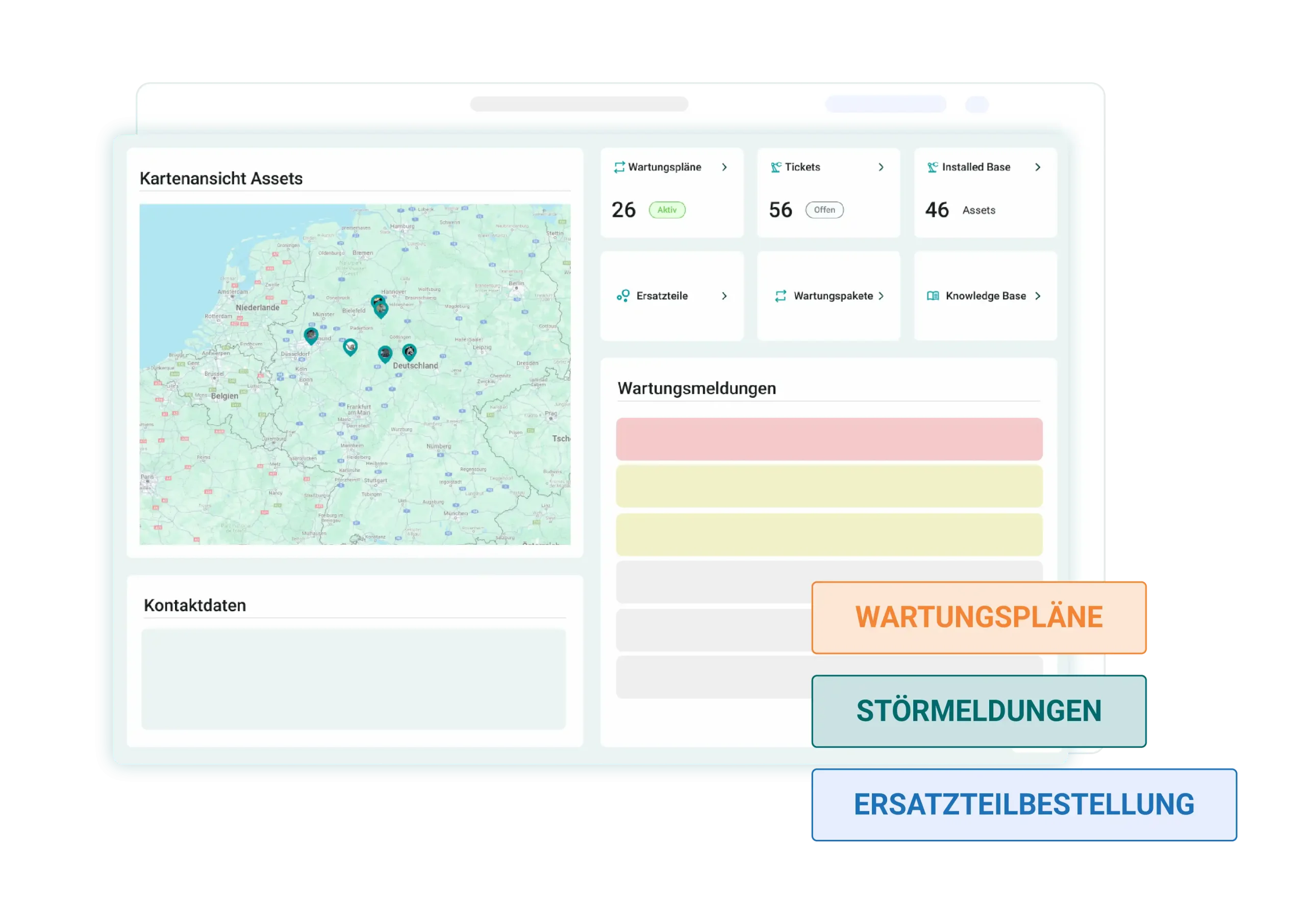
Your customers see upcoming and completed maintenance of their assets, and thus in black and white what your service delivers.
Upcoming maintenance per asset at a glance
Completed maintenance with report and date
Less scheduling, more trust in the contract

Without a maintenance project
A portal is only as good as its content. Yours fills up by itself.
Portal projects fail because of empty portals. In SIMPL, reports, status and documents arise in everyday service work, and appear automatically where your customer looks for them.

Content is created while working, no content manager needed
In your company’s look, your brand at the center
You control access and permissions per customer and contact
Show your customers what your service delivers
Find out in 30 minutes what your customer portal looks like, with your machines, your look and without a maintenance project.

A no-obligation conversation with our experts
Concrete ideas for your after-sales
Personal point of contact
No preparation needed, just bring your questions
Frequently asked questions about the customer portal
What is a customer portal in technical service?
A customer portal is your customers’ digital access to your service: they see their machines, report faults, track the status of their inquiries and download reports and documents, anytime and without calling your team. For manufacturers and service companies, it is the showcase of after-sales.
What functions should a customer portal for service and after-sales have?
The core includes: an overview of your own machines with history, fault reports and spare parts inquiries linked to the machine, status tracking of ongoing cases, download of service reports and documents, as well as a view of upcoming maintenance. What matters is that the content is created automatically from everyday service work, otherwise the portal stays empty.
How do our customers get access?
You invite your customers, they log in via the browser, without installing an app. You control which contacts get which access, from an individual maintenance technician to purchasing.
Do customers really only see their own machines and data?
Yes. Each customer sees only their own assets, cases and documents. The separation happens server-side in the system, not by hiding, and internal information such as calculations or notes is generally kept out.
Can the portal be adapted to our design?
Yes, the portal appears in your company’s look. For your customers it feels like your service, not like a foreign system, which pays directly into your brand in after-sales.
How do we introduce the portal to our customers?
Best done step by step and with visible benefit: start with the customers who call most often, combine the portal with QR codes on the machines, and put the first reports and documents in before you invite anyone. Your personal point of contact at SIMPL accompanies the rollout.
Intuitive operation that runs right away
SIMPL is built so that technicians, service managers and workshop teams can work with it right away – without lengthy training and without being overwhelmed.

Offline capability for your technicians
Technicians can capture jobs, forms and photos completely offline – everything is synced automatically as soon as a network is available again.

Made & Hosted in Germany
Your data is stored in certified German data centers. Perfect for machine builders and industrial companies with high compliance requirements.
