

Service teams spend their days working on machines, not at desks. Yet most software is designed for the office.
Mobile & Offline
Works wherever your team works—not just in the office.
Production hall, basement, construction site, overseas assignment: SIMPL runs on any device and requires no internet connection at all. Data is collected directly at the machine and syncs automatically.
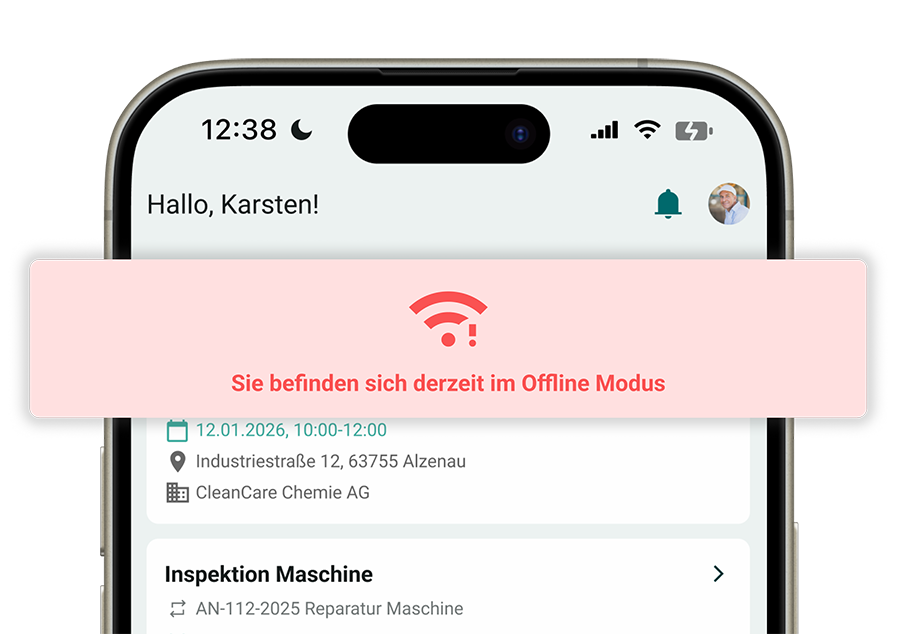




The field software that crashes right in the field

No signal in the hall, basement, or on the roof: that’s exactly when the app stops working
Reports are added in the evening, from memory
App Store, Updates, Device Management: IT Is Slowing Down the Rollout
When on an international assignment without roaming, the office is unreachable


Built for the machine, not for the monitor
SIMPL runs in a browser on any device, works completely offline, and syncs automatically as soon as you’re back online.

Any device: iOS, Android, Windows, in a browser
Fully offline-capable: orders, documentation, forms, photos
Syncs automatically, without uploading and without data loss
A Technician's Workday: Imagined Without the Internet
From placing an order in the morning to signing the contract in the afternoon: everything works, even if the reception desk doesn’t.
Offline from the Ground Up
No signal? Your technician won’t even notice.
Orders, machine records, documents, and forms are stored locally on the device. Data entry continues as usual—with photos, measurements, and signatures—and as soon as a connection is established, SIMPL syncs automatically.

Orders with files, history, and documentation available locally
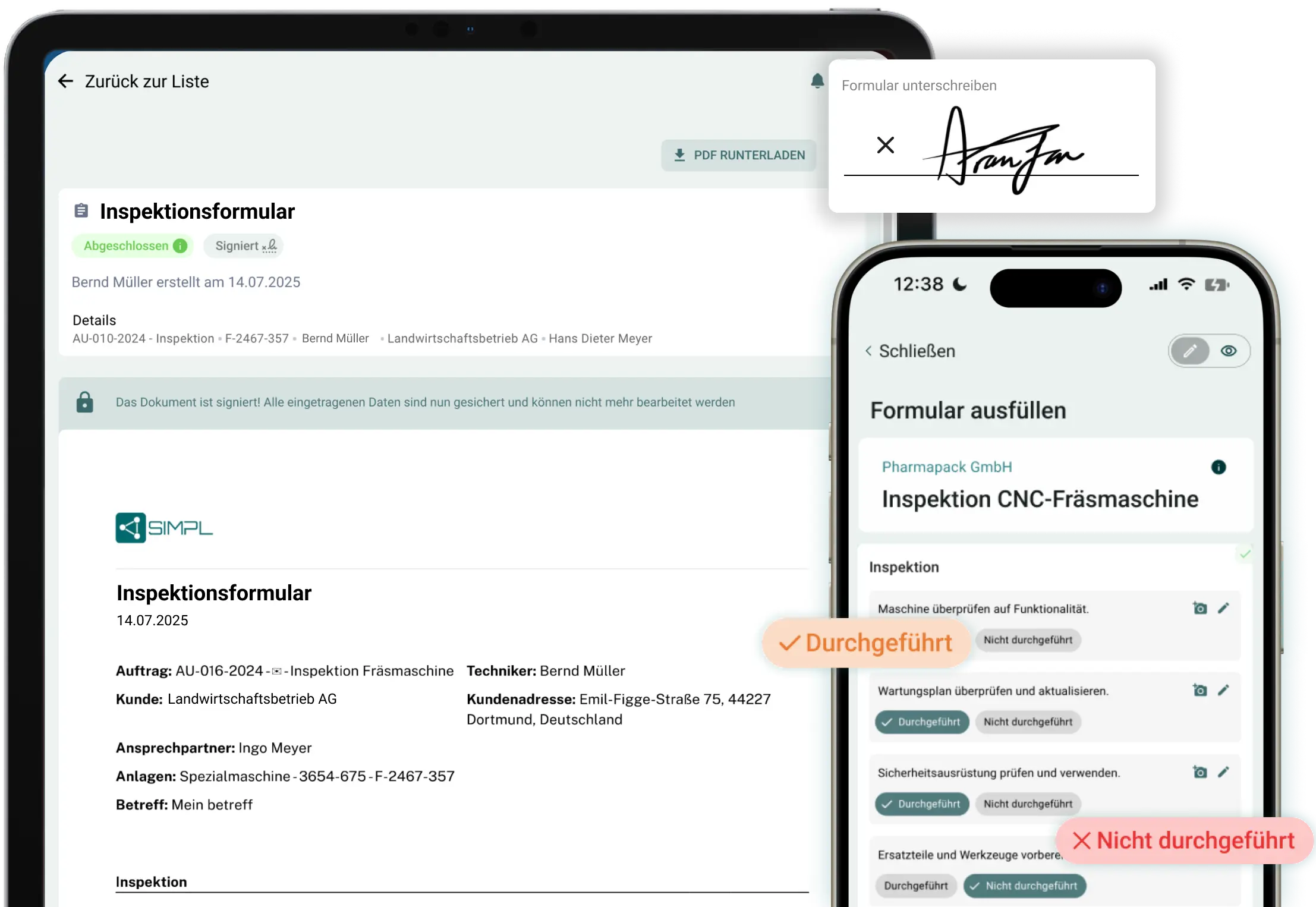
Fill out forms offline, including photos and signatures
Automatic synchronization—no manual uploads, no data loss
„Für uns war wichtig, dass wir unsere Monteure einfach und sauber planen können und die Formulare vor Ort schnell ausgefüllt sind.“
Each device
New device? Open your browser, log in, and get started.
SIMPL runs in the browser on smartphones, tablets, and laptops—no need to go through an app store and no mandatory updates.
iOS, Android, and Windows—one interface
No app store, no installation hurdles, no update issues
IT-friendly: even on your technicians’ existing devices
The insert in the hand
Everything You Need to Know About the Order Before You Ask
Equipment, history, documents, and checklists are linked to the job, and scanning the QR code on the machine opens the file.
Order with Attachments, History, and Documentation in a Single View
Scan the QR code; open the machine file without searching for the serial number
Previous cases and error patterns right next to them
Enter Data Without Typing
Take a picture, say something, done
Documentation is handled on the fly: photos linked directly to the job and machine, voice memos for the office staff, and reports generated via AI voice input.
Photos are automatically added to the order and the attachment
Voice memos instead of a typing marathon on the ladder
Voice-to-Report: Speak for two minutes, and the report is ready

On-site completion
Signed and done before the engine starts
The customer signs the device, the report is complete and in the system—nothing needs to be added later that evening.
Digital signature on a smartphone or tablet
Report, times, and materials recorded in the order
For the office staff in the system, as soon as it is synchronized
The Locations
Built for basements, warehouses, rooftops, and overseas use
Being offline isn’t an emergency situation—it’s just a normal part of your everyday life: factory floors block cell service, equipment rooms are in the basement, and there’s no roaming when you’re abroad.
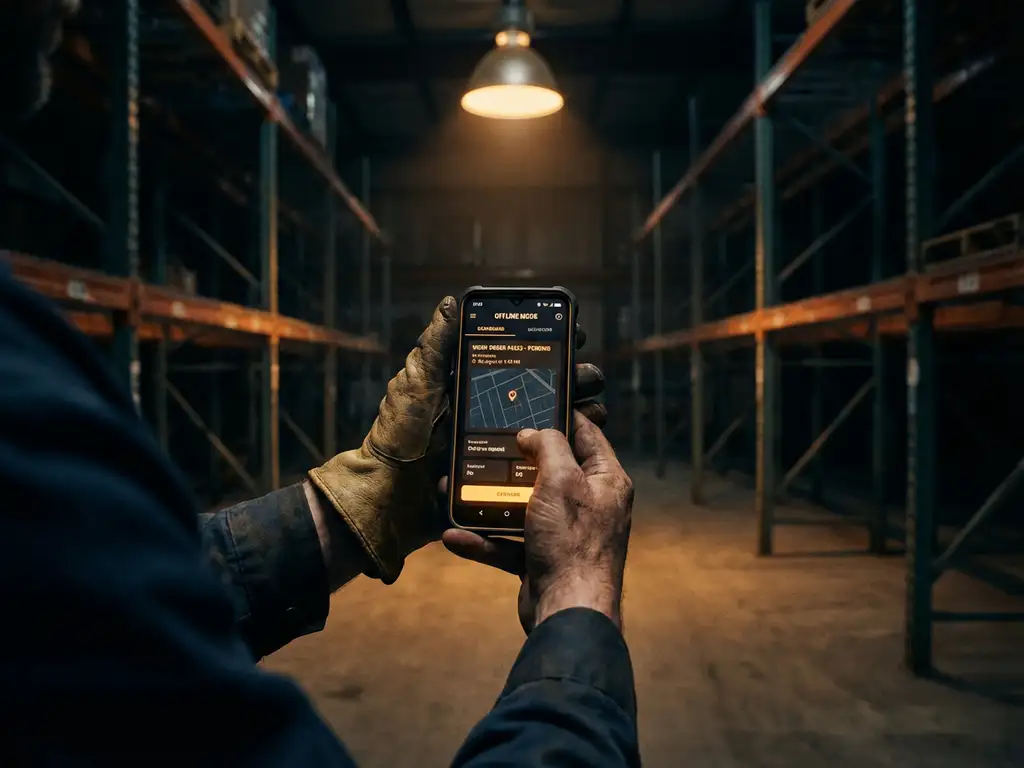
Production Halls and Equipment Rooms Without a Reception Area
International Travel and Installations Without Data Roaming
Customer service rounds with four to eight stops per day
Try SIMPL where your network ends
In just 30 minutes, learn how your technicians can work on the go and offline—from job assignment to signature.

A no-obligation consultation with our experts
Specific ideas for your mobile workflows
Personal Contact
No preparation needed—just bring your questions
Frequently Asked Questions About Mobile & Offline
Do my technicians need an app from the App Store?
No, SIMPL runs directly in the browser and can be pinned to the home screen just like an app. No app store account, no need for IT approval to install it, and no outdated versions within the team. A new device is ready to use in two minutes: open the browser, log in, and get started.
What is available offline?
Everything a field technician needs: their work orders, including system details, history, and documents, as well as all forms. Filling out, photographing, and signing forms works entirely offline, with the data stored locally on the device.
Will data be lost if the network is down for an extended period?
No. All recorded data remains stored locally, regardless of whether the signal is received again after five minutes or after two weeks of being abroad. As soon as the device is back online, SIMPL syncs automatically, without requiring a manual upload.
Does SIMPL run on iOS, Android, and Windows?
Yes, on all three—in the browser and with the same interface. Use a smartphone for field work, a tablet for forms and signatures, and a laptop for office work; your team chooses the device, and the data is the same everywhere.
Does SIMPL work abroad without data roaming?
Yes, that’s one of the most common use cases for mechanical engineers: The technician downloads their assignments and documents before leaving, works completely offline on site, and syncs them using the hotel’s Wi-Fi or after returning.
Can technicians who aren't tech-savvy handle this?
Yes, that’s exactly what SIMPL is designed for: large controls, guided forms, voice input instead of typing, and no installation or update hurdles. After a brief introduction, most teams can work independently without the need for training sessions.