

Planning is confined to spreadsheets, calendars, and ad-hoc solutions that have evolved over time; reality changes by the hour; and in the midst of it all, the phone never stops ringing.
Digital Scheduling Board & Resource Planning for Technical Service
Technicians, appointments, and resources: planned on a single board, visible to everyone in real time
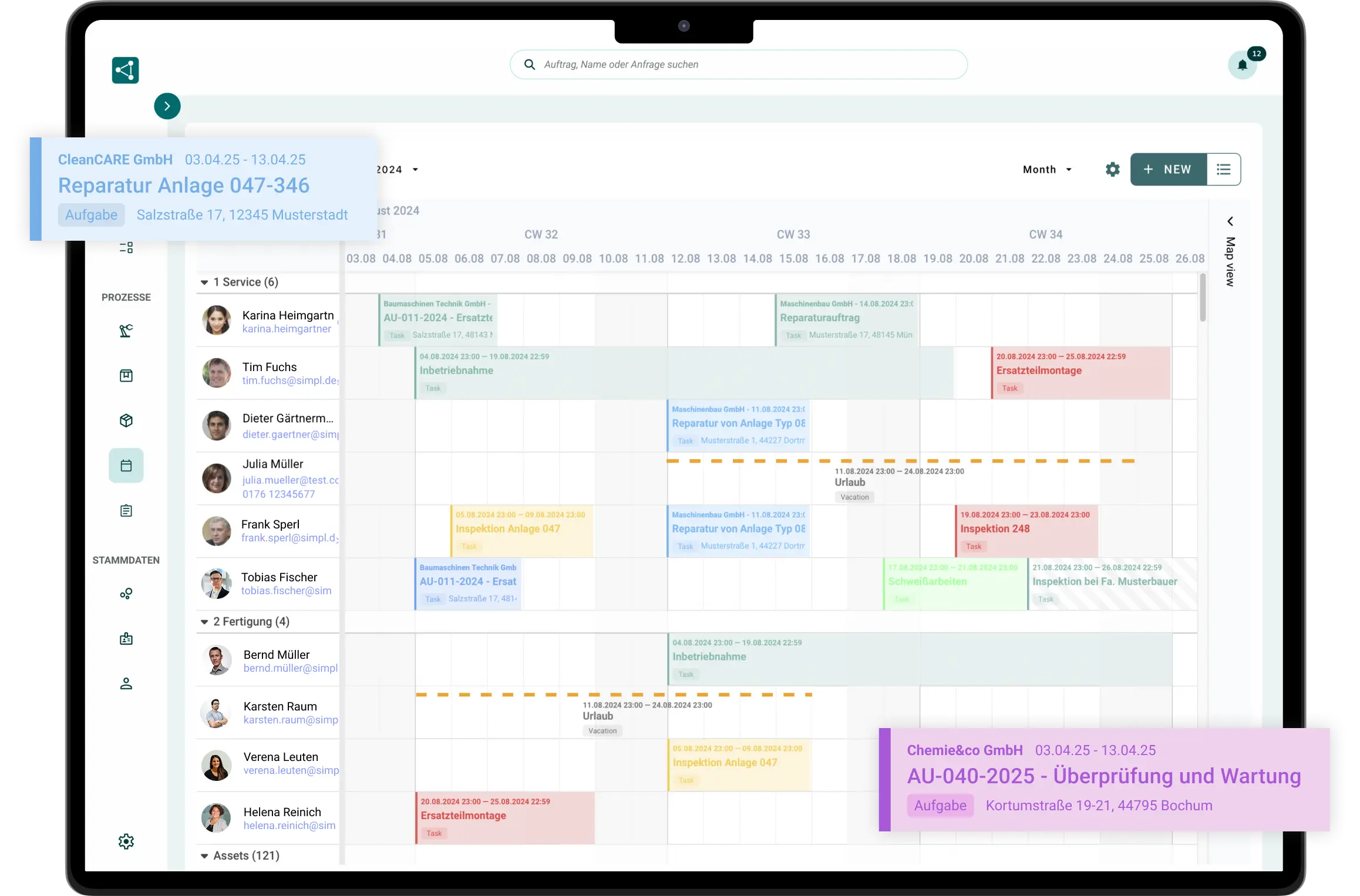
Schedule assignments using drag-and-drop, on the timeline, or on the map. Every change is immediately reflected for the technician, whether it’s a customer service call, a workshop order, or an installation lasting several weeks.




Excel, Outlook, or that old planning tool? There's an easier way.

Excel and Outlook calendars do not track tasks or availability
Every change means: call, transfer, hope
Double bookings and conflicts don’t become apparent until things go wrong
Old planning tools are silos: no app, no file, and no task
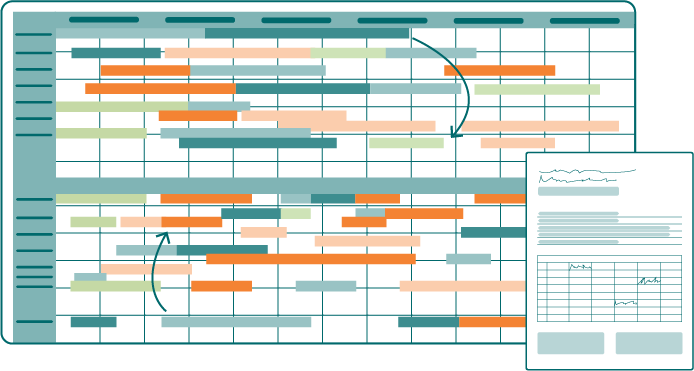

Schedule it to fit your rhythm: five stops a day or three weeks of assembly work
Whether it’s customer service with multiple assignments per technician per day or plant construction with installations lasting several weeks: In SIMPL, you can schedule people, vehicles, and machines all in one view.
SIMPL can be integrated with your ERP system, such as SAP or Microsoft Dynamics. However, four out of five customers start out without it and, by doing so, have already eliminated paper, Excel, and Outlook from their service process.

All Assignments and Availability at a Glance
Drag & Drop Instead of a Phone Chain: Changes in Seconds
SIMPL displays conflicts immediately: when rescheduling, not on the day of the event
Directly linked to work orders, equipment, and the technician app

"
Thanks to SIMPL, the paper chaos in our company is finally a thing of the past. Now we record customer inquiries and orders—including all relevant service reports and maintenance logs—centrally in a single solution. As a result, we not only have full transparency regarding all orders, but communication across the entire team has also improved noticeably.
Britt van Deursen
Division Manager at Wagner Eschweiler GmbH
From an Open Work Order to a Scheduled Assignment
Plan, assign, dispatch, reschedule: the planning board is the control center for your service day.
The Schedule Board
All assignments, all technicians, one view
Unscheduled jobs are in the pool, and your technicians are on the timeline: You drag the job to the correct slot, SIMPL checks for conflicts, and scheduling is complete.

Daily and weekly view with a pool of unplanned orders
Drag & Drop: From a Two-Hour Job to a Week-Long Installation
Views, colors, and groupings are fully customizable
„Für uns war wichtig, dass wir unsere Monteure einfach und sauber planen können und die Formulare vor Ort schnell ausgefüllt sind.“

Planning on the Map
Who’s Where? Plan Based on Proximity, Not on Gut Feelings
Field Technicians on the Map: You can see who’s nearby and save travel time with every click.
A quick overview of service locations and technicians on the map
Plan Routes by Proximity, Save Travel Time
Automatic Route Planning: SIMPL Suggests the Best Route

Resources & Occupancy
Vehicles and machines have calendars, too
Include vehicles, tools, and machinery in your planning along with people; double bookings will be immediately apparent.
Reserve vehicles and equipment for each operation
Reserve machines for jobs or time slots
Identify bottlenecks and double bookings before they occur

Availability & Qualifications
The right technician, not just the first one available
Vacation, sick leave, and workload are factored in, and when it comes to the job, what matters is who has the technical expertise to do it.
Absences and Workload Directly on the Board
Assignment by order, qualification, or maintenance schedule
Scheduled appointments and maintenance intervals are automatically scheduled

Locations & Teams
Is Location A full? Location B will step in to help.
If you have multiple locations, you can see all teams on a single board, and if capacity is insufficient at one location, you can schedule a available technician from a neighboring location.
All locations and teams in a scheduling board
Filter and group by location, team, or region
View available capacity at the neighboring site and schedule it directly

An Emergency
When an emergency arises, the plan doesn’t fall apart
A machine breakdown at a key client’s site, a technician is out: This is exactly when you find out how good your planning really is. In SIMPL, you just make the necessary adjustments instead of running around making phone calls.

Schedule an emergency appointment; reschedule follow-up appointments using drag-and-drop
Real-time status updates from the field: You can see who’s actually available
Everyone affected is automatically notified, without a chain of phone calls
One week of scheduling: in a digital planning board instead of 30 Excel files.
In just 30 minutes, learn how your scheduling works with the planning board, map, and technician app.

A no-obligation consultation with our experts
Specific Ideas for Your Schedule
Personal Contact
No preparation needed—just bring your questions
Frequently Asked Questions About the Digital Planning Board
What is a digital planning board?
A digital scheduling board is a graphical scheduling tool in a browser: technicians, vehicles, and machines are displayed on a timeline; unplanned jobs are scheduled via drag-and-drop; and changes are immediately visible to everyone. Unlike Excel, Outlook, or isolated legacy tools, it’s directly connected to jobs, availability, and the technician app.
How do we plan for short-term disruptions?
Using drag-and-drop: The urgent job is inserted into the schedule, you drag the affected appointments to new slots, and every technician sees the change immediately in their app. There’s no need for a chain of phone calls, and the rest of the daily schedule remains organized instead of chaotic.
Do technicians notice changes right away?
Yes, every assignment and every change is automatically updated in the technician app, along with all the details about the job: system, history, documents, and forms. Conversely, status updates and reports from the field are sent back in real time to the scheduling board.
Can we plan operations on a map?
Yes, you can view job sites and technicians on the map, which lets you schedule based on proximity and save travel time. The map view complements the timeline; you can switch between them depending on your question: Who’s available? Who’s nearby?
Does the scheduling board also work for the workshop and machine allocation?
Yes, in addition to field service assignments, you also schedule workshop orders and assign machines or test stands to orders and time slots. Double bookings and bottlenecks become apparent before they turn into problems.
Does the scheduling board work across multiple locations?
Yes, all locations and teams are listed in a single table, filtered and grouped according to your structure. If one location is at full capacity, you can see the available capacity at the others and schedule across locations without having to send a group email or call your colleagues in scheduling.
How do our personnel and machine data get into the system?
To get started, simply import customers, machines, and orders via Excel. For day-to-day operations, there are interfaces to ERP systems such as SAP, proALPHA, and Microsoft Dynamics. Your personal contact will guide you through the implementation process so that your team can be up and running in just a few weeks.
Intuitive operation that works right away
SIMPL is designed so that technicians, service managers, and workshop teams can start working with it right away—without lengthy training and without feeling overwhelmed.
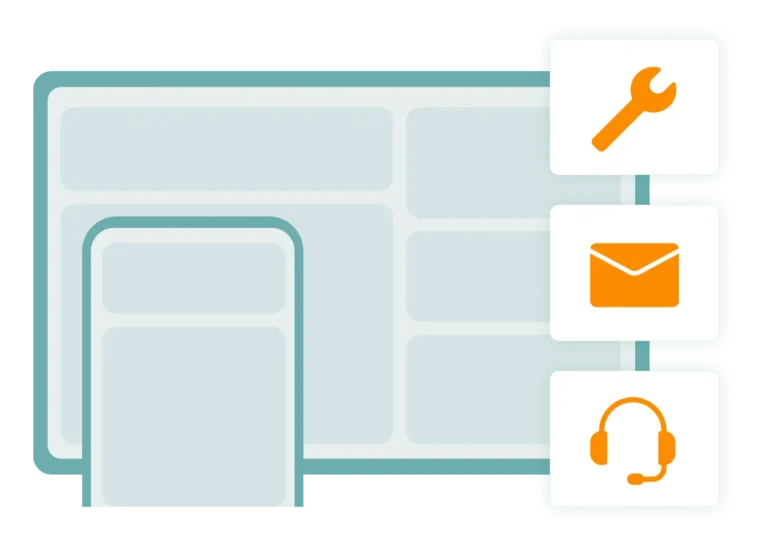
Offline Capability for Your Technicians
Technicians can enter jobs, forms, and photos entirely offline—everything syncs automatically as soon as a network connection is available again.

Made & Hosted in Germany
Your data is stored in certified German data centers. Perfect for mechanical engineering firms and industrial companies with strict compliance requirements.